Finding the right font pairing for your mom blog's social media graphics doesn't require a design degree or a premium software subscription. Free fonts, when matched thoughtfully, can give your Instagram posts, Pinterest pins, and Facebook graphics a polished, professional look that builds trust with your audience.
What Makes a Good Free Font Pairing?
A font pairing is simply two typefaces used together: one for headlines and one for body text. The goal is contrast without conflict. A bold serif headline paired with a clean sans-serif caption, for example, creates visual hierarchy that guides the reader's eye naturally.
This matters on social media because you have roughly two seconds to stop someone from scrolling. Clear, well-paired fonts communicate your message instantly. They also reinforce your brand identity across every post, making your content recognizable even before someone reads your name.
Free fonts from sources like Google Fonts, Font Squirrel, and DaFont give you thousands of options. The key is restraint. Choosing two complementary fonts and sticking with them consistently is more effective than switching styles every week.
How to Match Fonts to Your Blog's Visual Style
Start with the overall texture of your brand. If your mom blog focuses on minimalism and clean living, pair a geometric sans-serif like Montserrat with a simple body font like Open Sans. If your content leans warm and personal, try a handwritten accent font like Dancing Script alongside Lora for readable captions.
Consider the format of your graphics too. Vertical Pinterest pins handle longer text blocks, so a highly legible body font matters more there. Instagram Stories, on the other hand, benefit from bold headline fonts that remain readable at a glance on small screens.
Your content type should also guide the pairing. A recipe card needs clean, practical typography. A motivational quote graphic can afford a more decorative headline font. A product roundup benefits from structured, professional typefaces that build credibility.
Matching Fonts to the Time You Have
If you design graphics daily on your phone, stick with fonts available directly in Canva or your preferred app. This eliminates the friction of uploading and managing custom files. Canva's free library includes strong pairings like Playfair Display with Nunito that work immediately.
If you batch-design weekly on a desktop, you have more flexibility to install Google Fonts and use tools like Adobe Express or Figma. This allows access to a wider range of weights and styles for more refined compositions.
Common Mistakes and How to Fix Them
The most frequent error is pairing two fonts that are too similar. Using two sans-serifs with the same weight creates a flat, confusing layout. Fix this by ensuring at least one clear contrast: weight, style, or category should differ between your headline and body fonts.
Another mistake is choosing decorative fonts for body text. Script and display fonts look beautiful in headlines but become unreadable at small sizes. Always reserve ornamental fonts for short, large text only.
Overcrowding text on a graphic is also common. Leave breathing room around your typography. White space is not wasted space; it makes your message stronger.
Troubleshooting at Home
If a pairing feels off, zoom out and squint at your design. If the hierarchy is unclear at a glance, increase the size difference between your headline and body text. A ratio of roughly 2:1 usually works well for social media dimensions.
Your Quick-Start Font Pairing Checklist
- Choose your headline font first. This sets the personality of your graphic.
- Select a body font with clear contrast. If the headline is serif, try sans-serif for body text, and vice versa.
- Test readability at small sizes. View your graphic on your phone before publishing.
- Limit yourself to two fonts per design. A third font creates visual noise unless used sparingly for labels or accents.
- Stay consistent across platforms. Use the same two fonts on Instagram, Pinterest, and your blog for brand cohesion.
- Save your pairings in a reference doc. Note the exact font names and weights so every design stays aligned.
Start with one strong pairing, apply it across your next ten graphics, and evaluate how your audience responds. Consistent typography builds the kind of visual trust that turns casual scrollers into loyal readers. Learn More
 Free Feminine Font Pairing Guide for Lifestyle Blogs
 Free Font Pairings for Your Mom Blog Branding
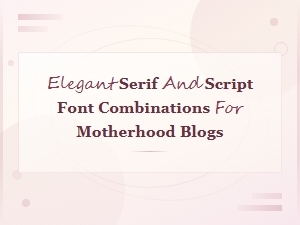 Free Elegant Serif and Script Font Pairings for Motherhood Blogs
 Best Free Font Pairings for Mom Blog Headers That Look Beautiful
 Best Diy Craft Fonts for Mom Bloggers to Elevate Creative Projects
 Best Handwritten Fonts for Mom Blog Craft Projects You Will Love